Printing & Design / August 24, 2026
Professional Printing Processes, Explained
Process names matter because they change the brief, the proof and the questions a buyer should ask.
01
Start with the job, not the machine
A professional process is a chain of choices: image-making, substrate, colour condition, finishing and inspection. “Digital” or “offset” is only the first label. A useful brief says what must stay consistent, what can vary and where the piece will be handled.
Digital production is often comfortable with versioning and shorter runs. Offset becomes attractive when a repeatable press condition, a larger run or a particular ink and substrate relationship matters. Neither label is a universal quality grade.
02
The production questions that travel well
Ask which surface is being printed, whether the colour needs a proof condition, how the piece will be finished and which tolerances matter after trimming or folding. Those questions survive changes in equipment because they describe the output rather than a vendor’s feature list.
The Printroom library keeps process, material and finish as separate entries so a reader can follow the consequence of each decision.
The same questions resurface when a historic image is reproduced: the note on what printing reveals about an antique map follows plates and press conditions into the evidence an old sheet still carries.
03
Read the production chain
Begin with the object that has to leave the press: a folded brochure, a rigid sign, a coded label or a stack of variable notices. Record its size, viewing distance, handling, run, versions, substrate and finish before naming a process. This order prevents a machine category from becoming a substitute for a specification.
A useful production map has five handoffs: artwork and preflight, imaging, printing, converting, then inspection and packing. At each handoff, write what enters, what can change and who approves the result. A small change in trim or coating can be harmless at one stage and expensive at the next.
04
Compare the route, not the slogan
Digital printing usually removes plate setup and makes short runs, versioned content and late controlled changes easier to organise. Offset printing builds a repeatable press condition through separations, plates, proofing and a planned run. Wide-format systems solve scale and installation problems that neither sheet-fed route is designed to solve.
The comparison is therefore conditional. Choose the route that absorbs the job's main constraint: changing data, a long repeat run, a large viewing surface, a demanding board or a particular finish. A printer who asks about use and handling before quoting is testing the brief, not avoiding the question.
05
Run a decision meeting
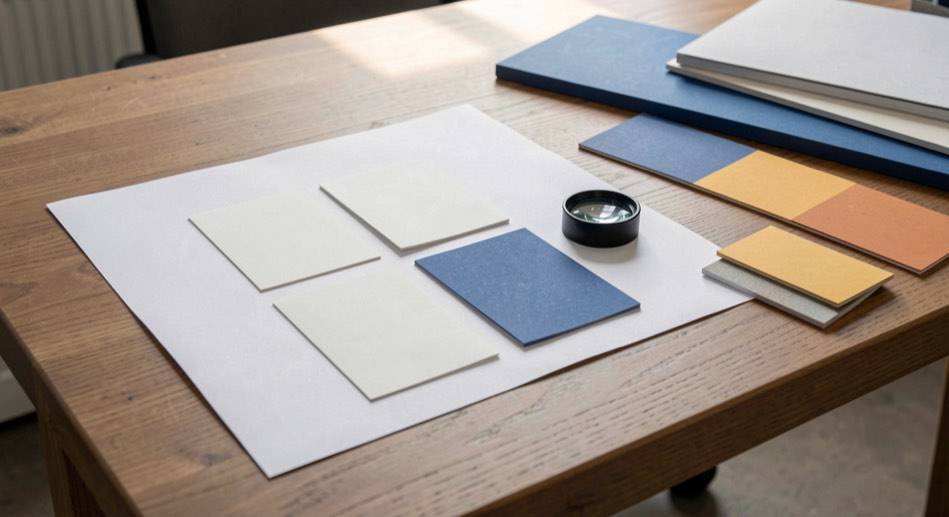
Put three physical samples on the table: the intended stock, a plausible alternative and a finished example with the proposed coating or fold. Ask the team to inspect colour, edge behaviour, reading distance, fingerprinting and assembly. Then write one approved reference and one acceptable fallback instead of relying on memory from a screen review.
For example, a 2,000-piece campaign with six localised versions may favour digital production even if an offset unit price looks attractive. A single long run of a stable catalogue may reverse the choice. A window graphic may need a wide-format adhesive and installation test whatever the paper calculation says.
06
Catch failures before the press
Common failures are not always dramatic. A file can have the correct page count but the wrong version, a trim box without enough bleed, a dark image that changes on uncoated stock, or a finish layer that disappears from the handoff. Check those items against the signed brief, not only against a preflight application's green status.
Another warning sign is a quote that lists a press but not the substrate, proof condition, finishing sequence or inspection method. Ask what happens to a rejected sheet, a changed address list or a reprint. The answer reveals whether the line has a controlled exception path.
07
Keep the boundary visible
Process guidance cannot promise a colour match without a named output condition, and it cannot select a safe installation method without a site survey. Machine capability, ink system, paper batch and local finishing equipment all create limits. Treat the library as a briefing tool, then confirm current tolerances with the responsible production specialist.
The working sources for this note are ISO 12647-2 and ISO/TC 130 process guidance, read alongside the Printroom's process library and historical URL observations. Standards describe controlled conditions; the practical examples here show how to turn those conditions into questions a business buyer can sign off.
Source trail
ISO 12647-2 and ISO/TC 130 guidance. Read the editorial method for the difference between a standard, an archive observation and practical synthesis.